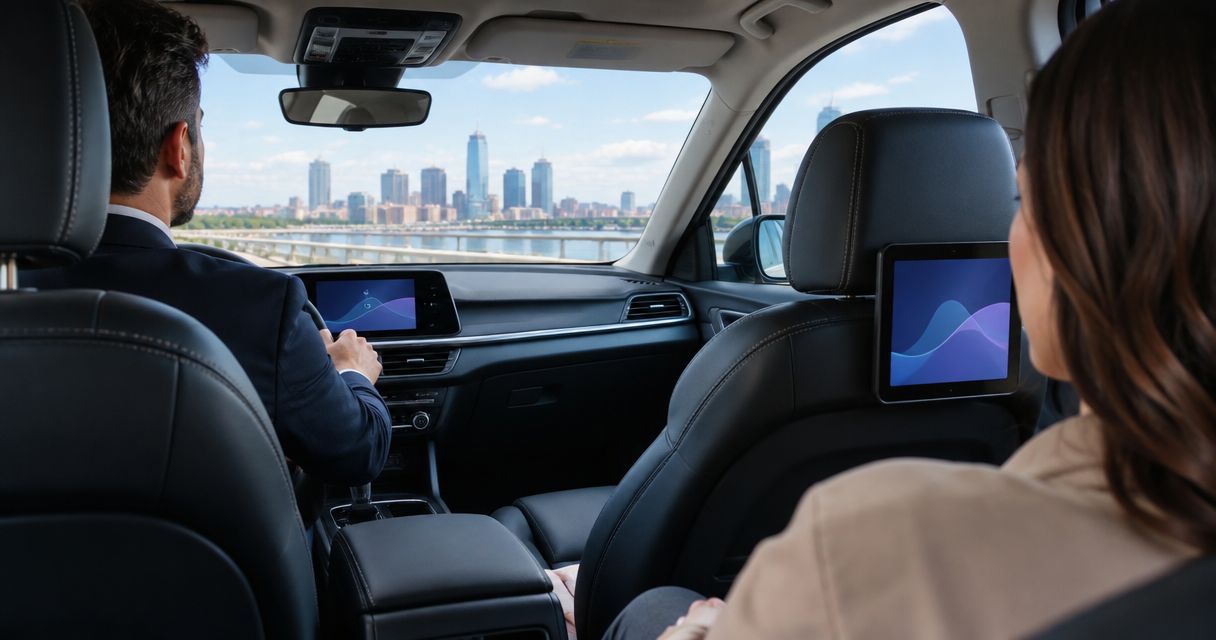
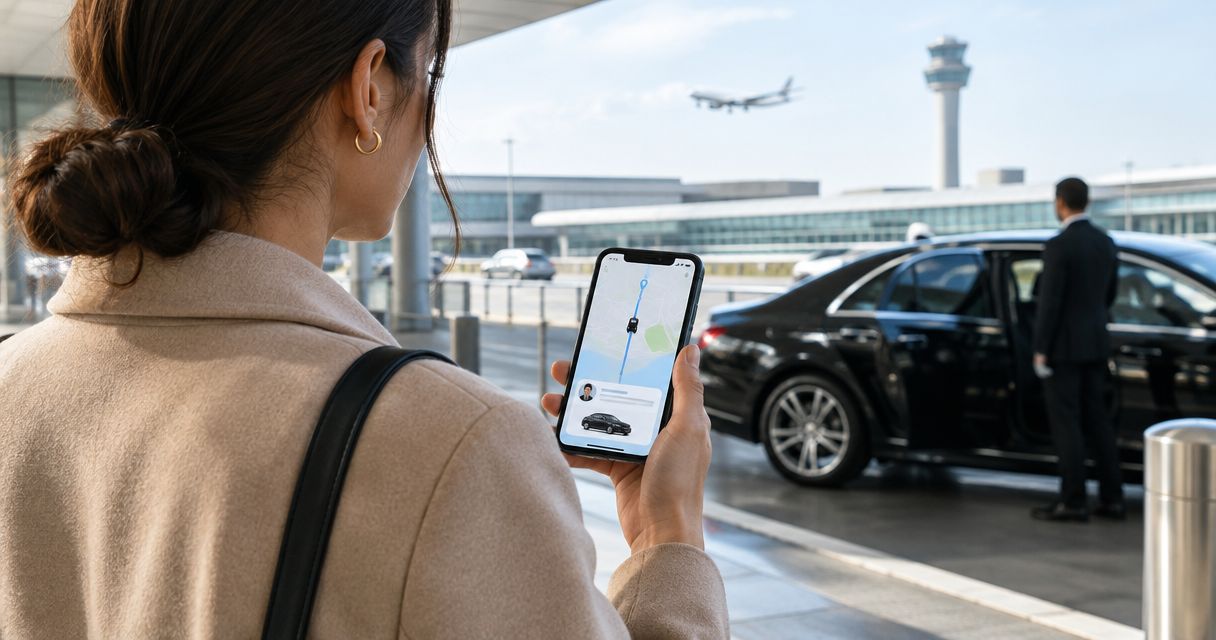
You can track your chauffeur before a Boston Logan Airport pickup only if your booked car service provides passenger-facing vehicle tracking. Ask whether you will receive a live location link, a driver-status message, or a direct contact number; these are different forms of communication. A flight-tracking service does not, by itself, let you see your chauffeur’s location.
- Searching ‘track chauffeur logan airport pickup’? Confirm passenger-facing vehicle tracking before relying on a map.
- Live vehicle location, chauffeur messages, and flight tracking answer different questions.
- Blacklimoboston provides chauffeur-driven Boston airport transfers; confirm tracking arrangements directly before booking.
- Get the meeting point and a backup contact method, even when live tracking is provided.
Why this matters
For your 2026 Logan arrival, the useful question is not simply whether a company uses tracking. It is whether you, the passenger, can access information that helps you meet the assigned chauffeur.
A moving map cannot tell you whether you have collected your luggage or reached the agreed meeting point. Before traveling, confirm pickup communications and keep the instructions with your reservation. Blacklimoboston provides airport transfers, but you should confirm passenger-facing tracking directly rather than assume it is included.
Can you track your chauffeur before a Boston Logan Airport pickup?
Yes, if the booked provider explicitly supplies access to live vehicle location. A reservation confirmation, an arrival notification, and a flight-status update are not equivalent to a passenger-accessible tracking link.
Use this comparison when reviewing your 2026 pickup arrangements. These are communication methods to ask about, not confirmed features of any particular operator.
| Communication method | What it tells you | Best for | Limitation |
|---|---|---|---|
| Live vehicle tracking | A vehicle’s reported location on a map | Following the assigned vehicle’s approach | Does not replace meeting instructions or confirm that you are ready |
| Chauffeur-status messages | A written update about the pickup | Receiving a clear arrival or meeting message | A message is not continuous location access |
| Direct chauffeur contact | An opportunity to clarify your meeting arrangements | Resolving a specific pickup question | Requires a successful call or message exchange |
| Dispatch contact | A central contact for reservation or assignment questions | Resolving unclear or conflicting information | Does not itself provide a passenger-facing map |
| Flight-status tracking | Information about the aircraft’s journey | Understanding flight arrival changes | Does not show the chauffeur’s location |
The distinction matters before you make a reservation. If viewing the vehicle is essential, request an explicit answer about live location access rather than accepting the broader phrase flight tracking.
What should you ask before booking?
Ask: Does this reservation include a link that lets the passenger see the assigned vehicle’s live location? Then ask how the link is delivered, when access begins, and whom you should contact if it does not open.
Keep the answer with your booking details. A specific confirmation is more useful than a general description of technology because it tells you what to expect for your own pickup.
How do you confirm your chauffeur’s location before meeting?
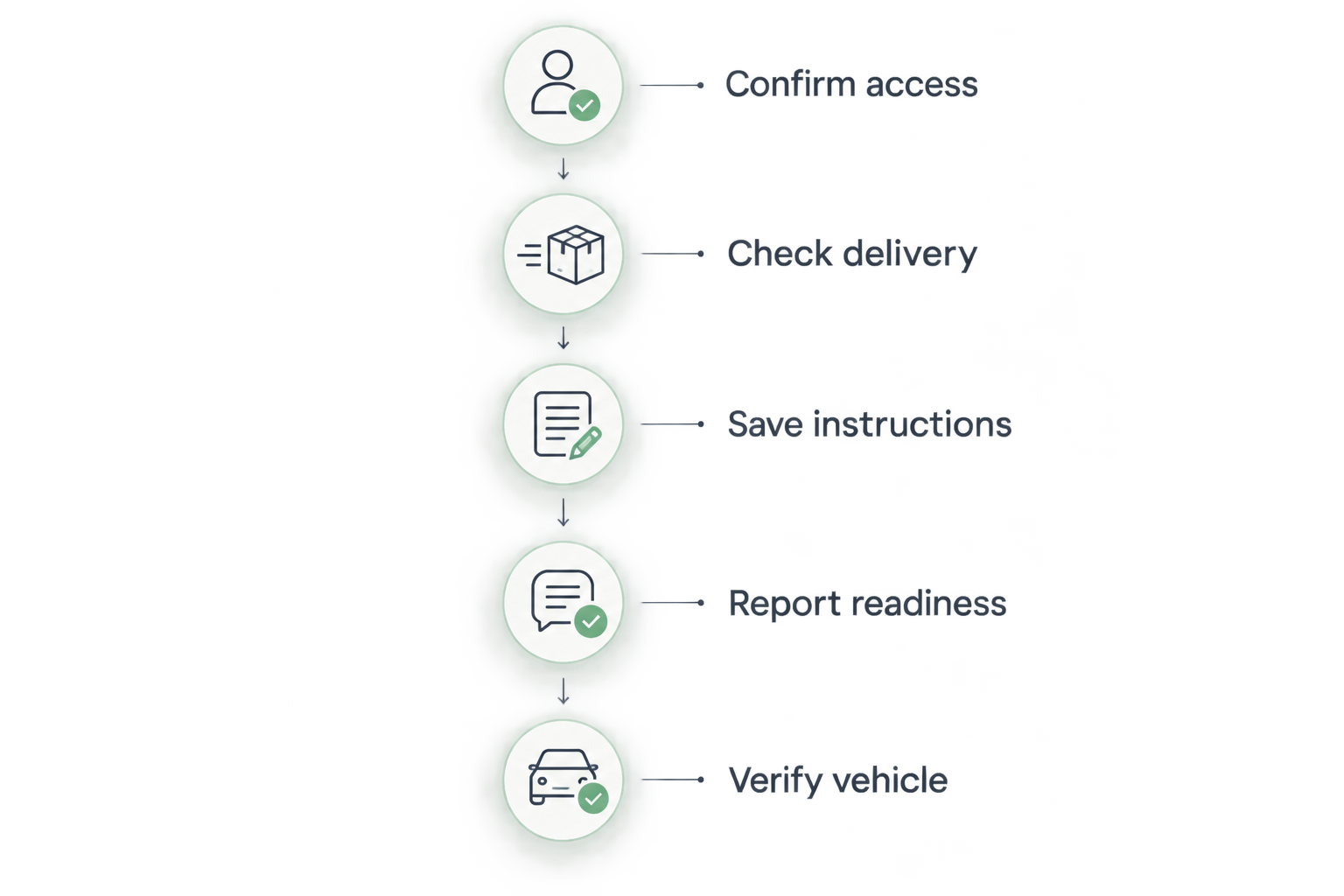
Use this sequence for a 2026 airport pickup whether you are traveling yourself or arranging transportation for someone else. The aim is to establish the communication plan before you need it.
- Confirm access. Ask whether the passenger receives live vehicle tracking, status messages, direct contact details, or a combination. Do not treat these as interchangeable.
- Check delivery. Confirm which passenger phone number or email address should receive pickup information. If someone else booked the trip, establish whether the traveler receives the same instructions.
- Save instructions. Keep the reservation reference, meeting instructions, and confirmed contact method accessible. Save the written details separately from any live map.
- Report readiness. Tell the designated contact when you have completed the arrival tasks relevant to your trip and are ready to follow the meeting instructions.
- Verify vehicle. Match the arriving vehicle and chauffeur to the reservation details you were given. Resolve any discrepancy through the confirmed contact before boarding.
The passenger and the person making the booking should agree on who communicates with the provider. Otherwise, a useful update can reach someone who is not at the airport.
What information should you keep accessible?
Keep the reservation reference, passenger name, flight details, meeting instructions, and confirmed contact method together. Include any vehicle identification information the provider supplies without assuming every reservation includes the same details.
If you receive a location link, save the accompanying message as well. The message provides context for the link; the map alone does not explain the agreed pickup procedure.
Why chauffeur tracking arrangements vary
For a 2026 reservation, confirm the actual communication arrangement rather than inferring it from the vehicle category or the phrase luxury car service. A sedan, SUV, or limousine description tells you nothing about passenger access to location information.
These distinctions determine what you need to verify:
- Tracking subject. Aircraft tracking concerns the flight; vehicle tracking concerns the car. Ask which one the provider means.
- Access permissions. Ask whether location information is available to the passenger or only to the provider’s staff.
- Message recipient. Establish whether pickup information goes to the traveler, the booking contact, or both.
- Delivery method. Confirm whether instructions arrive through a message, email, browser link, or another stated channel.
- Pickup arrangement. Ask what the location update means for your specific meeting plan. A vehicle’s position does not tell you where you should wait.
- Assignment changes. Ask how you will be informed if the assigned chauffeur or vehicle changes, and which message takes precedence.
Choose a confirmed communication plan over an assumed tracking feature. The relevant benefit is knowing how to meet the correct chauffeur, not simply having access to a map.
What should you do if the tracking link does not work?
Use the confirmed backup contact instead of treating a missing map as proof that the chauffeur has not arrived. Describe the issue precisely: no message received, link will not open, location appears unchanged, or assignment details do not match.
Check that you are opening the link associated with the current reservation. If someone forwarded the message, confirm that it belongs to your trip rather than another passenger’s transfer.
If you never received a link
First establish whether live tracking was actually confirmed for the booking. If it was, ask the designated contact to verify the recipient details and explain how you should receive it.
If tracking was not confirmed, request a pickup-status update and meeting instructions. Do not spend your arrival searching for a feature that was never part of the agreed communication plan.
If the map and a message disagree
Ask the confirmed contact to resolve the discrepancy before changing your meeting location. State both pieces of information clearly rather than deciding that one must be correct.
A map position and a written arrival instruction serve different purposes. You need a clear answer about where to meet, not an interpretation of conflicting signals.
If your phone cannot connect
Use saved instructions to identify the agreed backup procedure. Before departure, ask what to do if you cannot receive messages or access a browser after landing.
Saving instructions does not make a live tracking link work offline. It preserves the reservation and contact information you need when the map is unavailable.
Does flight tracking mean my chauffeur is ready?
Flight tracking does not confirm that your chauffeur is ready to meet you. It concerns the aircraft’s status, not the passenger’s readiness or the vehicle’s meeting position.
For your 2026 trip, ask separately how the provider handles arrival changes and how it communicates pickup readiness. Do not assume that an updated flight arrival automatically settles every part of the ground transfer.
You should also report relevant changes directly through the confirmed channel. A flight update does not communicate a delayed bag, a changed passenger contact, or a different destination requested after booking.
Can the person booking my ride follow the pickup too?
Access for the booking contact requires separate confirmation. Ask whether that person can receive the same tracking link or status messages as the traveler, and whether sharing the information is supported.
For corporate travel, establish who handles changes and who speaks to the chauffeur or dispatch contact. The traveler should still have the meeting instructions needed to complete the pickup without waiting for an intermediary.
Share trip information only with people involved in the arrangement. A location link and reservation details are travel information, not material for a public group or social post.
Is live tracking enough to identify the right vehicle?
Live tracking alone is not enough to verify the arriving vehicle. Compare the chauffeur and vehicle details provided for the reservation, and resolve any mismatch before boarding.
Do not choose a car solely because its appearance resembles the vehicle category you booked. Use the actual identifying information supplied for your trip and the confirmed contact channel when clarification is needed.
How to discuss tracking when arranging your airport transfer
Blacklimoboston is best suited to travelers seeking chauffeur-driven Boston airport transfers. Its stated services include luxury sedans, SUVs, Sprinter vans, and limousines for travel throughout Boston and New England; that service description does not establish live passenger tracking.
The fit is clear when you need chauffeured airport transportation. The limitation for this particular question is equally clear: confirm the tracking method directly before making it a requirement of your travel plan.
When reviewing the booking process, separate the transportation request from the communication request. Provide the journey details, then ask explicitly how you will receive chauffeur information and what you should do if a message does not arrive.
Use this request in your own words: Please confirm whether my airport reservation includes passenger-accessible live vehicle tracking, how pickup instructions are delivered, and which contact I should use if I cannot find the chauffeur. This asks for a concrete arrangement without assuming a feature exists.
Confirm Your Logan Pickup Arrangements
Ask about passenger tracking, meeting instructions, and the backup contact for your airport transfer.
FAQ
Can I see my chauffeur on a map before my Logan pickup?
You can see your chauffeur on a map only if your booked provider gives you passenger-accessible live vehicle tracking. Confirm that feature for your reservation rather than assuming it comes with flight tracking.
Does Blacklimoboston provide live chauffeur tracking?
Confirm live chauffeur tracking directly with Blacklimoboston before booking. Its stated airport transportation services do not establish whether passengers receive a live location link.
Will I need an app to track my airport chauffeur?
The access method requires confirmation from your booked provider. Ask whether the information arrives through a browser link, an app, or a message, and what backup method you should use.
What should I do if my chauffeur tracking link is missing?
Contact the provider through the channel confirmed with your reservation. Ask whether live tracking was included and verify which passenger phone number or email address should receive it.
Does tracking my flight also track my car?
Tracking your flight does not track your car. Flight status concerns the aircraft, while chauffeur tracking requires separate information about the assigned vehicle.
Should I walk toward the car shown on the tracking map?
Follow the confirmed meeting instructions rather than walking toward a map position. Ask the designated contact to clarify any conflict between the map and your pickup directions.
Can my assistant receive the chauffeur updates?
Your assistant’s access to chauffeur updates requires confirmation with the provider. Establish whether the passenger, assistant, or both will receive instructions and handle changes.
One last thing
A successful pickup needs a shared meeting plan, not just a visible vehicle. Before your 2026 departure, ask the provider to state where you should wait, how you will recognize the assigned chauffeur, and what to do if contact fails.
Keep that answer with your reservation. Those instructions remain useful even when a tracking link does not.