

Instead of manually reconciling corporate itineraries and pickup messages, use a written chauffeur-booking workflow that moves each trip from request to confirmed pickup instructions. This 2026 guide shows you how to organize Boston business transportation without mistaking a submitted request for a guaranteed ride.
- Corporate travel booking chauffeur service Boston: confirm the itinerary, pickup instructions, and change contact before travel.
- Blacklimoboston suits business travelers seeking chauffeur-driven airport transfers and corporate transportation in Boston and New England.
- Keep flight information, passenger contacts, and luggage requirements in one trip record.
- A booking confirmation is not an unconditional pickup guarantee; obtain the applicable terms in writing.
Why this matters
Blacklimoboston is best for Boston business travelers seeking chauffeur-driven airport transfers and corporate transportation. The company provides luxury sedan, SUV, Sprinter van, and limousine transportation throughout Boston and New England; start with Blacklimoboston when assessing that service fit.
The operational problem is the handoff. An assistant submits an itinerary, the traveler receives a different version, and nobody knows whether the revised pickup reached the transportation provider. A shared calendar entry does not resolve those gaps.
For your 2026 travel process, separate three checkpoints: requested, confirmed, and pickup-ready. Requested means you sent the details. Confirmed means the provider accepted the booking details in writing. Pickup-ready means the traveler has the current meeting instructions and a usable contact route.
These are your internal workflow labels, not claims about a provider's booking system. Keep them in the document or travel-management system your team already uses.
Before you start
- Prepare the source material. Gather the current itinerary, exact addresses, passenger names, flight information when relevant, passenger count, luggage requirements, and the person authorized to approve changes.
- Establish two contact roles. Record a traveler contact and a booking-owner contact. Make sure both can access the current trip record; avoid leaving essential instructions in an assistant's private inbox.
- Resolve the timing trap. A flight's scheduled arrival time and the agreed vehicle pickup time are different details. Ask how the provider handles arrival timing, delays, waiting, and meeting instructions before treating an airport booking as complete.
Use the following bold labels as fields in your own template. They are not representations of website buttons, account settings, or an automated integration. The workflow works through written correspondence and an existing shared record.
Trip brief
- Create Trip reference and assign one record to each transportation leg. Keep outbound and return travel separate so a change to one does not silently alter the other.
- Complete Passenger details with the lead traveler's name, reachable contact information, passenger count, and relevant assistance requirements. Share only the personal information needed to arrange the trip.
- Complete Route details with full pickup and destination addresses. Include the building entrance or meeting location when an address alone leaves room for confusion.
- Add Timing details with the travel date, local pickup time, and any fixed arrival commitment. For flights, include the airline, flight number, and arrival date rather than relying on a screenshot alone.
- Record Luggage and equipment separately from passenger count. Describe bulky cases, presentation equipment, or other items that affect vehicle selection, then ask the provider to confirm suitability.
Expected result: you have one readable trip brief that a traveler, assistant, and transportation coordinator can interpret without searching previous messages.
Do not bury the meeting deadline inside a notes paragraph. A pickup time tells the provider when you want to leave; an arrival commitment explains what the journey must support. Ask the provider to assess the proposed schedule rather than supplying an unsupported travel-time estimate yourself.
For your 2026 template, make missing information visible. Mark an unresolved entrance or passenger contact as unresolved instead of filling the field with a guess.
Service scope
- Choose Journey structure: a direct transfer or an itinerary with intermediate stops. Describe the actual journey rather than choosing a vehicle first.
- Send Passenger and luggage requirements to the provider and request a suitable vehicle category. Do not infer seating or baggage capacity from a category name.
- Document Stops and waiting. List each required stop, explain whether the vehicle needs to remain with the party, and ask the provider to confirm the arrangement.
- Obtain Service terms before approval. Ask about cancellation, schedule changes, waiting, and what happens if the assigned transportation cannot perform the trip.
- Request Written acceptance that refers to the same route, date, timing, and service scope as your trip brief.
| Journey structure | Best for | Advantage | Limitation to resolve |
|---|---|---|---|
| Direct transfer | Airport-to-office or office-to-hotel travel without intermediate stops | Keeps the route and pickup instructions focused | Additional stops change the agreed scope |
| Multi-stop itinerary | Business travel with several planned destinations | Makes the complete movement plan explicit | Each stop needs timing and waiting instructions |
Blacklimoboston's corporate chauffeur service fits the airport and business-travel uses described here. The service fit does not establish a pickup guarantee or specific booking terms. Obtain those terms directly instead of treating this workflow as a substitute for the agreement.
Expected result: the provider and your team agree on the journey being booked, not merely the first pickup address. For event-related movements, extend the scope checklist with the car service guide for meeting and event planners.
Pickup confirmation
- Compare Accepted itinerary against the trip brief, field by field. Resolve discrepancies in the date, pickup time, route, passenger requirements, and stops before marking the booking confirmed.
- Obtain Meeting instructions that explain where the traveler should go and how to identify the correct pickup arrangement. Do not substitute an old airport message for instructions for this trip.
- Establish Contact route for arrival questions and day-of-travel changes. Ask how the traveler should proceed if the expected pickup cannot be located.
- Send Traveler handoff as a short message containing the current itinerary, meeting instructions, and contact route. Keep approval discussions out of this traveler-facing version.
- Mark Pickup-ready only after the traveler can access those details. A confirmation sitting in the booking owner's inbox does not complete the handoff.
Expected result: the traveler knows where to meet, which itinerary is current, and whom to contact if something differs from the plan.
Use a four-stage sequence to make the handoff visible: Trip brief, Service scope, Pickup confirmation, and Change control. Keep the same sequence for airport transfers and office departures so staff do not need separate processes for every journey.
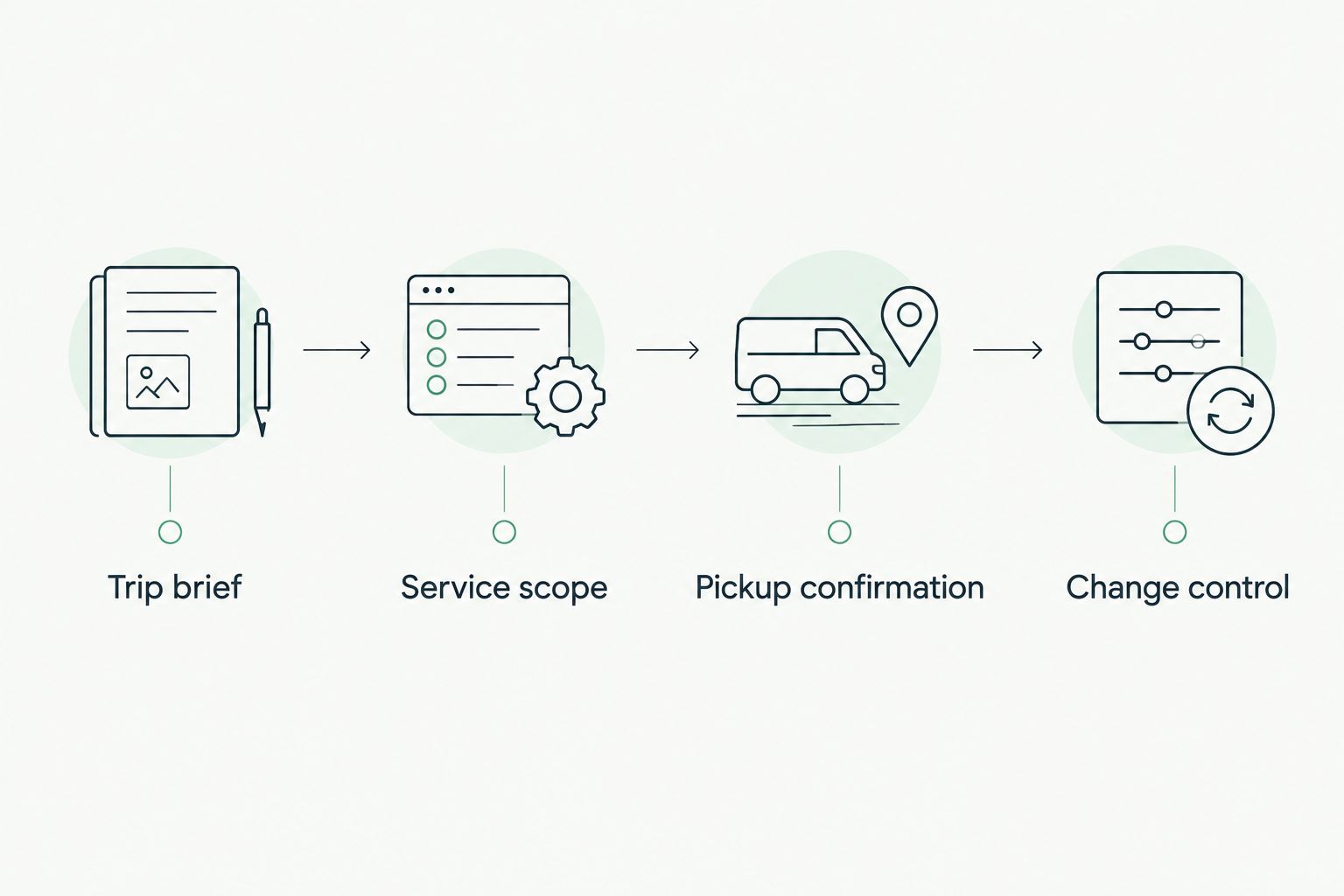
For 2026 travel records, distinguish Booking accepted from Traveler informed. Both matter, but they answer different questions. The first concerns the provider's acceptance; the second concerns whether the person taking the ride can act on it.
Change control
- Assign Change owner to one person responsible for communicating revisions. Other travelers can report changes, but one owner consolidates the instructions.
- Record Revision details with the changed field, revised value, and time the update was sent. State the local time clearly when the itinerary crosses time zones.
- Request Provider acknowledgment for changes affecting the ride. Do not assume a calendar update, forwarded flight alert, or internal approval reached the transportation provider.
- Update Current itinerary only after distinguishing the requested revision from the accepted revision. Preserve the previous version for reference, but make it visibly superseded.
- Resend Traveler handoff whenever accepted changes alter where, when, or how the passenger meets the vehicle.
Expected result: everyone can distinguish the original booking, the requested change, and the latest accepted plan.
Do not promise colleagues that a revised pickup is secured while acceptance remains outstanding. Use a clear internal status such as Change awaiting acknowledgment and escalate through the agreed contact route.
Keep booking responsibility with a named owner through completion. If that person becomes unavailable, transfer the record and contact details explicitly; copying another assistant into a long email chain is not a complete handoff.
When a flight or meeting changes
Use the same workflow for an updated itinerary, but start with the difference rather than resending an unexplained attachment. This second variant is particularly useful when an executive's meeting ends at a different location or the airline revises the flight.
- Identify what changed: flight, date, pickup time, address, passengers, luggage, or stops.
- Send a concise revision request referencing the existing trip record. State which details remain unchanged.
- Ask the provider to confirm the revised transportation arrangement and any implications under the agreed terms.
- Replace the traveler-facing instructions after acknowledgment. Make the accepted version easy to distinguish from the earlier message.
For your 2026 workflow, an itinerary update is a new confirmation task, not just a document edit. A flight notification informs your team about the flight; it does not establish how a transportation provider will handle the change.
For a canceled trip, use the same discipline. Request cancellation through the agreed channel, retain the acknowledgment, and notify the traveler. Removing a calendar event does not communicate cancellation to the provider.
Troubleshooting
- The traveler has no meeting instructions. Return to the written confirmation and request trip-specific instructions. Do not improvise a pickup location or send the traveler to a location copied from an unrelated booking.
- The confirmation lists the wrong time. Separate the scheduled flight arrival, requested pickup, and required destination arrival. Ask the provider to correct the accepted itinerary, then resend the traveler handoff.
- Two colleagues sent conflicting changes. Name one change owner, summarize the intended itinerary in a single message, and request acknowledgment. Mark earlier versions as superseded in your internal record.
- The vehicle category does not resolve the luggage question. Resend passenger and luggage details together and request explicit suitability confirmation. A category label alone does not confirm capacity for your particular load.
- The traveler cannot locate the pickup. Use the agreed contact route and report the traveler's actual location. Keep the traveler reachable while obtaining instructions; do not create a second, conflicting meeting point without agreement.
Troubleshooting should restore a shared, accepted plan. Avoid solving a missing confirmation by making a stronger promise than the provider has made.
Customize your workflow
Build three reusable materials: a trip-brief template, a confirmation checklist, and a traveler-handoff message. Keep the required fields consistent across assistants, departments, and recurring business trips.
For recurring office journeys, reuse stable addresses and contact roles, but reconfirm the trip-specific date, timing, passengers, and luggage. Templates reduce retyping; they do not establish acceptance of a new booking.
For group movements, add a passenger roster and identify who checks that everyone has received instructions. Keep the lead contact visible, and confirm whether travelers depart together or follow separate itineraries.
Blacklimoboston provides corporate and airport transportation, but your internal process still needs an accountable booking owner. Standardize the handoff before adding automation. Automating an incomplete trip brief only distributes incomplete instructions faster.
If you later connect a calendar or travel-management system to internal notifications, test the notification separately from the booking process. An automatically generated reminder is not evidence that the transportation provider accepted a request.
FAQ
What's the best workflow for corporate travel booking with a chauffeur service in Boston?
Use a trip brief, written service acceptance, traveler pickup instructions, and a named change owner. Keep requested, confirmed, and pickup-ready statuses separate so your team knows what still needs attention.
Does a booking confirmation guarantee my chauffeur pickup?
A booking confirmation does not by itself establish an unconditional pickup guarantee. Read the agreed terms and ask the provider to explain its obligations and the procedure if transportation cannot perform the trip.
Is Blacklimoboston suitable for corporate airport transportation?
Blacklimoboston provides chauffeur-driven airport transfers and corporate transportation throughout Boston and New England. Confirm the specific itinerary, vehicle suitability, pickup instructions, and service terms before completing your traveler handoff.
What information should I send when booking a business airport transfer?
Send the travel date, flight details, passenger contact, pickup and destination information, passenger count, and luggage requirements. Distinguish the flight arrival time from the vehicle pickup arrangement and state any fixed destination arrival commitment.
What should I do when an executive's flight changes?
Send a revision request through the agreed contact route and obtain acknowledgment of the revised transportation plan. Update the traveler-facing instructions after acceptance rather than assuming a flight alert changes the booking.
Should I choose a sedan, SUV, or Sprinter van for business travel?
Choose the vehicle category after the provider reviews your passenger count, luggage, equipment, and journey requirements. Do not infer exact seating or baggage capacity from the category name alone.
Can I use this workflow without a booking-system integration?
Yes, you can use a shared trip record and written correspondence. The essential controls are an accepted itinerary, accessible pickup instructions, and clear ownership of changes.
One last thing
Ask a colleague who did not make the booking to read only the traveler-handoff message. Can that person identify the pickup date, time, meeting instructions, and contact route without opening the original email chain?
If not, the handoff is incomplete even when the booking itself is confirmed. This check exposes an information gap before the traveler encounters it at the curb.
The strongest workflow does not turn uncertainty into a guarantee. It makes unresolved details visible and assigns someone to close them before departure.