

Instead of manually arranging each Uber Black ride, switch your Boston corporate travel to a directly booked chauffeur workflow with written trip details, an approval owner, and a confirmed pickup plan. Treat the change as a transportation-supplier transition—not an Uber account transfer—and start with Blacklimoboston for chauffeur-driven corporate travel in Boston and New England.
- To switch Uber Black to corporate chauffeur service Boston, move booking responsibilities and trip instructions—not account credentials.
- Blacklimoboston suits Boston corporate travelers seeking directly arranged, chauffeur-driven transportation.
- Confirm pickup instructions, change procedures, and billing requirements before replacing an existing ride.
- A dedicated chauffeur arrangement does not establish a same-driver commitment; request that separately.
Why this matters
A corporate transportation change affects more than the vehicle. Your traveler, assistant, approver, and transportation provider need the same instructions about pickup time, destination, and responsibility for changes.
Blacklimoboston is best for Boston corporate travelers seeking chauffeur-driven airport transfers and business transportation. Its stated services include luxury sedan, SUV, Sprinter van, and limousine transportation throughout Boston and New England. Specific booking terms, vehicle suitability, and recurring arrangements still require confirmation.
For your 2026 travel process, separate convenience from control. Requesting a ride and maintaining an approved business itinerary are different tasks; your workflow must connect them without assuming that an account, payment method, or traveler preference transfers between providers.
| Booking approach | Best for | Practical advantage | Limitation to address |
|---|---|---|---|
| Uber Black ride request | Travelers arranging individual trips through Uber | Keeps the request inside the Uber booking process | Does not establish your separate chauffeur-provider instructions or agreements |
| Direct corporate chauffeur booking | Teams coordinating business itineraries with a transportation provider | Lets you submit trip requirements directly | Requires a clear approval, confirmation, and change process |
Neither approach removes the need to check the itinerary. Choose the booking method around the trip's coordination requirements rather than treating one vehicle category as a complete travel policy.
Before you start
- Gather the trip materials: upcoming itineraries, traveler contact details, pickup addresses, passenger and luggage requirements, and your organization's travel approval rules. Share only the information needed to arrange transportation.
- Assign 2 contacts: a booking owner who approves the reservation and a traveler contact who can respond during the trip. One person can hold both roles, but record each responsibility explicitly.
- Resolve the hidden dependency: an existing Uber reservation and a new chauffeur reservation are separate bookings. Check the existing ride's terms before changing it, and obtain written confirmation of the replacement before removing it from your itinerary.
Do not send Uber login credentials to a transportation provider. The useful handoff is the itinerary and your approved requirements, not access to the traveler's personal account.
Trip brief configuration
Build a shared trip brief before requesting transportation. The bold labels below are fields you create in your own document or spreadsheet; they are not claimed labels from Uber or a chauffeur booking system.
- Create a document named Corporate Trip Brief. Add Traveler, Booking Owner, and Traveler Contact, then enter the people responsible for the journey.
- Add Pickup Date, Pickup Time, Time Zone, Pickup Address, and Destination. Write a complete street address and the intended entrance wherever that detail matters.
- Add Passenger Count, Luggage, Stops, and Vehicle Requirements. Describe what must fit rather than selecting a vehicle from appearance alone.
- For an airport transfer, add Airline, Flight Number, Flight Date, and Arrival or Departure. Keep flight arrival time separate from the requested vehicle pickup time.
- Add Meeting Deadline and Special Instructions. Identify a required arrival time as a deadline, not as a substitute for a pickup time.
Expected result: another booking owner can read the brief and understand who is traveling, where the journey begins, and what the vehicle must accommodate without asking the traveler to repeat the itinerary.
Use a reusable 2026 template, but keep each journey as its own record. A return transfer needs its own pickup details; it should not inherit the outbound address or time by default.
Provider confirmation configuration
A submitted request is not your final operating plan. Ask Blacklimoboston to confirm the requested corporate transportation details, then record the response against the trip brief.
- Send the trip brief through the provider's published booking or inquiry channel. Ask for confirmation of the itinerary and the vehicle category suitable for the stated passengers and luggage.
- Ask how you will receive pickup instructions and whom the traveler should contact if they cannot find the vehicle. Record the agreed method under Pickup Instructions and Day-of Contact.
- Ask how schedule changes must be submitted and acknowledged. Record the answer under Change Procedure rather than assuming that an email, text, or calendar edit updates the reservation.
- Confirm payment authorization and receipt requirements with your organization's approver. Request any required business name, reference, or cost-center details before the trip; do not assume consolidated invoicing or corporate credit terms.
- If you want the same chauffeur for recurring journeys, ask explicitly. Record only the commitment the provider confirms under Driver Continuity.
Expected result: your trip record contains a confirmed itinerary, a pickup communication plan, an authorized payment process, and a clear route for changes.
The distinction between a dedicated service and a particular driver matters. Do not promise an executive the same chauffeur unless that arrangement has been expressly confirmed. Direct booking alone does not establish that commitment.
Booking handoff configuration
Your internal handoff should make the current booking easy to identify. Keep the provider's confirmation separate from requests that have not yet been accepted.
- Add Booking Reference, Confirmation Received, and Current Itinerary to the trip record. Populate them from the provider's actual response, not from your initial request.
- Send the traveler a short briefing containing the pickup date, time, location, destination, and agreed contact method. Include the booking reference where one has been issued.
- Reconcile any existing Uber booking. Check its current terms and follow the appropriate change or cancellation process only after the replacement arrangement is confirmed.
- Give the assistant and traveler access to the same current itinerary. Mark superseded instructions clearly instead of leaving conflicting versions in separate message threads.
- Run 1 pilot trip before applying the process to recurring executive travel. Check whether the traveler received usable pickup instructions and whether the booking owner received the documentation needed to close the trip.
Expected result: the traveler has one current transportation plan, and the booking owner can distinguish the confirmed reservation from an old request or superseded itinerary.
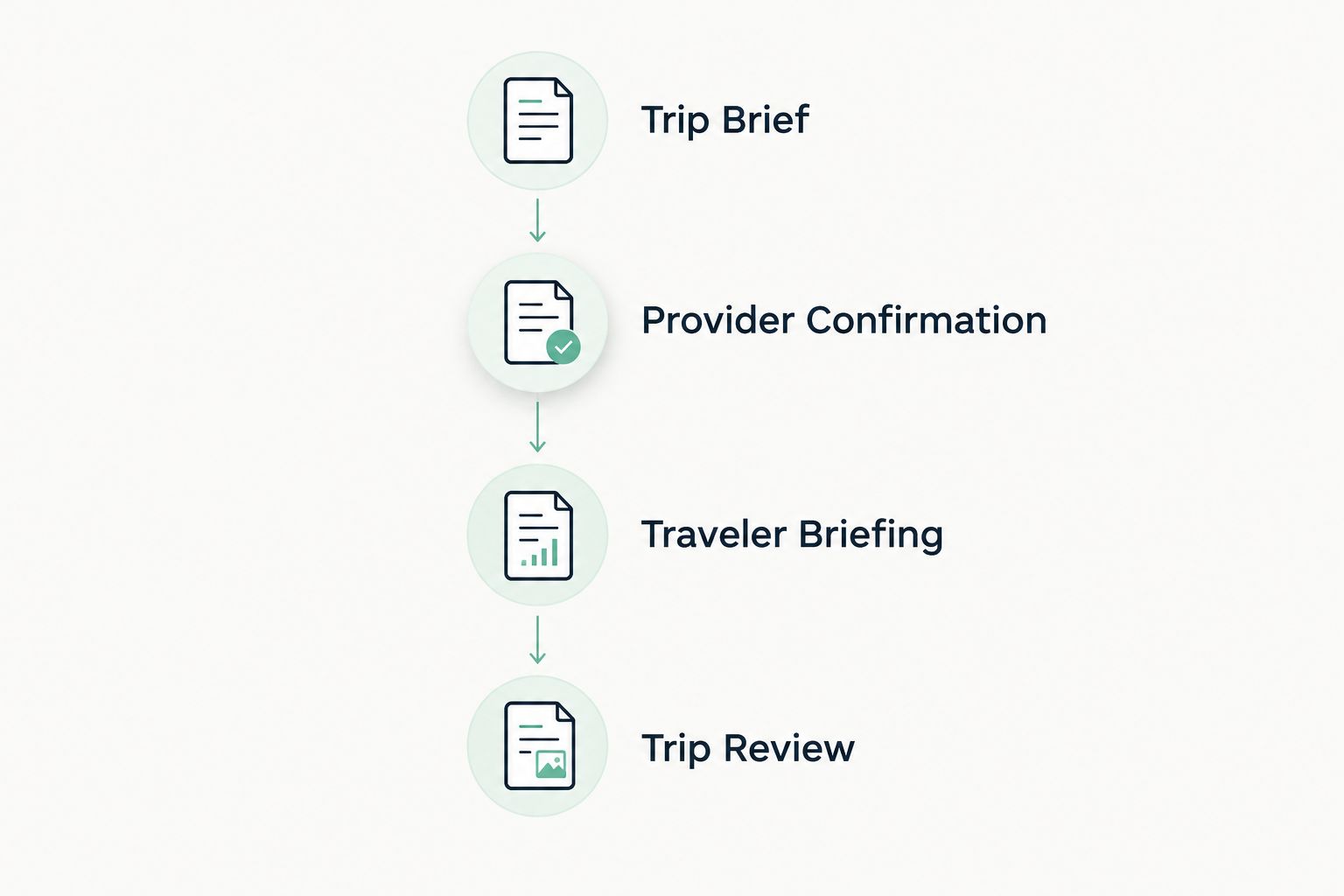
The handoff follows a simple sequence: Trip Brief, Provider Confirmation, Traveler Briefing, and Trip Review. Keep that order in your 2026 checklist so an internal approval is never mistaken for a provider confirmation.
Change-control configuration
Recurring transportation needs an update process as well as a booking process. A calendar change is useful internally, but it is not evidence that a transportation provider has accepted new instructions.
- Create Change Requested, Requested By, Previous Details, and Revised Details fields. Describe the exact difference rather than forwarding a message with no explanation.
- Send the revision through the agreed change channel. Ask the provider to acknowledge the revised date, time, location, or stops.
- Update Current Itinerary only after receiving confirmation. Retain the previous details as history, clearly marked as superseded.
- Notify the traveler and booking owner together. State what changed and identify the latest confirmed pickup instructions.
- Test 3 scenarios in a desk review: a delayed flight, a changed meeting location, and a return journey moved to another date. For each scenario, identify who sends the update and who checks the acknowledgment.
Expected result: each change has an owner, a provider acknowledgment, and a traveler notification. Nobody has to infer which message controls the trip.
For a broader handoff template, use the corporate travel booking workflow. Keep your own confirmation checks even when an internal document labels a journey approved.
Variant: update airport transfers when flights change
Airport transfers add a second timeline: the flight schedule and the ground pickup arrangement. Keep them distinct in your 2026 airport-transfer records.
- Record the flight's original details and the requested pickup arrangement. Include the flight date because a flight number alone does not identify the intended journey.
- Ask whether flight monitoring is part of the specific reservation and how changes affect pickup instructions. Record the answer; do not assume automatic adjustments.
- When the flight changes, send the revised flight details through the agreed channel unless the confirmed procedure instructs otherwise.
- Obtain acknowledgment of any revised ground pickup plan. Share the current instructions with the traveler, including the agreed meeting location.
Expected result: a flight update produces a checked transportation plan rather than an assumption that the vehicle will appear at a newly calculated time.
For departures, work backward from the traveler's required airport arrival time with the provider. Do not substitute a generic driving-time estimate for a pickup time agreed for that journey.
Troubleshooting
Two bookings remain active
Compare the existing Uber reservation with the confirmed chauffeur itinerary. Resolve the unwanted reservation through its own booking channel and check the applicable terms; removing a calendar entry does not change a transportation booking.
The traveler expects the same chauffeur
Check the recorded Driver Continuity commitment. If none exists, correct the expectation and request clarification before the next journey rather than treating the phrase dedicated chauffeur as a driver assignment.
The itinerary changed, but the provider has not acknowledged it
Keep the last confirmed itinerary visible and contact the provider through the agreed change channel. Do not tell the traveler that a revision is accepted until you have that acknowledgment.
The vehicle request omits luggage or additional passengers
Update the trip brief and ask the provider to reassess suitability. A vehicle category alone does not describe every passenger's luggage or the space required for the journey.
Finance cannot match the trip documentation
Compare the receipt or confirmation with your organization's required business reference. Correct the booking template for future journeys and request the needed documentation without assuming the provider offers a particular invoicing arrangement.
Customize your workflow
After the pilot, expand the process to recurring airport transfers, visiting clients, and meeting itineraries. Give each trip a booking owner and preserve separate confirmations for journeys with different pickup instructions.
Review the 2026 template whenever responsibility changes. An executive assistant leaving a role should not leave behind a transportation process that depends on access to a private inbox.
Blacklimoboston's stated corporate travel and airport-transfer services fit this direct-booking workflow. Its limitation for planning purposes is equally clear: the service description does not establish your specific change procedure, billing arrangement, or same-driver commitment. Confirm those requirements before making them company policy.
Arrange Your Corporate Transportation
Share your itinerary, passenger requirements, and pickup details for your Boston business travel.
FAQ
How do I switch Uber Black to a corporate chauffeur service in Boston?
Arrange the chauffeur reservation separately and move your itinerary into a direct-booking workflow. Confirm the replacement trip, brief the traveler, and then reconcile any existing Uber reservation under its own terms.
Do I need to transfer my Uber account to the chauffeur company?
Treat the change as a new transportation arrangement, not an account transfer. Share the trip details and approved requirements without sharing your Uber login credentials.
Does a dedicated chauffeur service mean I get the same driver every time?
Do not assume a dedicated chauffeur arrangement includes the same driver every time. Request driver continuity explicitly and rely only on the commitment the provider confirms.
Is direct chauffeur booking better than Uber Black for corporate trips?
Direct chauffeur booking fits trips that need requirements agreed with a transportation provider before travel. Uber Black keeps individual ride requests within Uber's booking process; choose according to your coordination needs.
Can an executive assistant book transportation for someone else?
Assign the executive assistant as booking owner and identify the traveler separately in your trip brief. Confirm the provider's authorization and payment requirements before completing the reservation.
Will an airport chauffeur pickup change automatically if my flight is delayed?
Only rely on automatic pickup adjustments when the provider has confirmed that procedure for your reservation. Otherwise, report the flight change through the agreed channel and obtain updated pickup instructions.
What should I check before replacing a recurring Uber Black ride?
Check the confirmed itinerary, passenger and luggage requirements, pickup instructions, change procedure, and payment authorization. Start with a pilot journey before extending the process to recurring travel.
One last thing
The most useful handoff detail is often the entrance, not the street address. A traveler and chauffeur can reach the same building while waiting at different doors. Put the agreed entrance or meeting point in the final briefing, and ask the traveler to use those instructions rather than an older calendar note.