

Instead of manually checking your cruise itinerary every day, create a calendar-based pickup plan with reminders, then confirm the chauffeur reservation separately with Black Limo Boston. This workflow organizes your departure details and prompts you to check changes; it does not automatically book a vehicle or change an accepted reservation.
- For cruise port boston car service, automate reminders—not unconfirmed bookings or pickup changes.
- Black Limo Boston provides chauffeur-driven transportation; your calendar organizes the request and confirmation.
- Work backward from the cruise line’s required arrival instructions, not just the ship’s sailing time.
- Keep outbound embarkation and return disembarkation in separate events with separately confirmed pickups.
Why this matters
A ship’s departure time is not your terminal arrival deadline. Your cruise documents distinguish sailing from check-in or boarding instructions, and your ground transportation plan must preserve that distinction.
For your 2026 cruise, build the pickup around the cruise line’s arrival instructions—not a guessed interval before sailing. Add the journey from your actual pickup address, then agree on the pickup time with the transportation provider.
Black Limo Boston is best for travelers seeking chauffeur-driven transportation in Boston and New England. The calendar workflow below handles your planning and reminders; the provider’s written confirmation establishes the transportation arrangement.
Before you start
- Gather the current cruise documents. You need the sailing date, ship name, terminal instructions, required arrival information, passenger count, luggage details, pickup address, and a reachable traveler contact.
- Open Google Calendar on a computer. Use an account you will check while traveling, and have access to the email account receiving transportation confirmations. The instructions below use the desktop calendar interface.
- Separate reminders from reservations. A saved event, emailed itinerary, or invited guest does not establish a chauffeur booking. Obtain written acceptance of the pickup details before treating the ride as confirmed.
Do not put passport numbers, payment-card details, or other unnecessary sensitive information in a shared calendar. A pickup plan needs operational details, not copies of your travel identity documents.
Create the departure record
Calendar event
- In Google Calendar, click Create, choose Event, and select More options to open the full event editor.
- In Add title, enter a clear title such as Cruise transfer — outbound — confirmation pending. Include the sailing date in the event details if you manage several trips.
- Set the event date to the ground-transfer date. For a 2026 sailing, check the year explicitly before saving; copying an older itinerary can carry the wrong date into a new event.
- Use Time zone to check that the event represents Boston local time. Do not assume a calendar opened while traveling abroad displays the intended local pickup time.
- In Add location, enter the actual pickup address. Put the cruise terminal destination and ship name in the event description instead of combining two addresses in the location field.
Start with a provisional pickup time only if you clearly mark it as provisional. Do not use the ship’s sailing time as the event’s start time: the start should represent the action you need to take, which is meeting your chauffeur.
Expected result: You have one clearly identified outbound transfer event with the correct date, pickup location, and time zone. Its title still makes the unconfirmed status visible.
Pickup instructions
- Copy the cruise line’s arrival instructions into the event description, distinguishing required arrival information from sailing time.
- Add the ship name, destination terminal information supplied by the cruise line, passenger count, luggage description, and any mobility or loading requirements.
- Add the pickup address, including a hotel entrance or other meeting detail that needs agreement. Use the cruise documents for the destination rather than a generic map result for the port.
- Write a short request summary that you can send to the transportation provider. Ask the provider to confirm the pickup time, vehicle suitability, meeting instructions, and traveler contact details.
- Leave a clearly labeled space for the provider’s written confirmation and reservation reference, if one is supplied.
Expected result: The calendar contains a usable transportation request, not merely a reminder that your cruise exists.
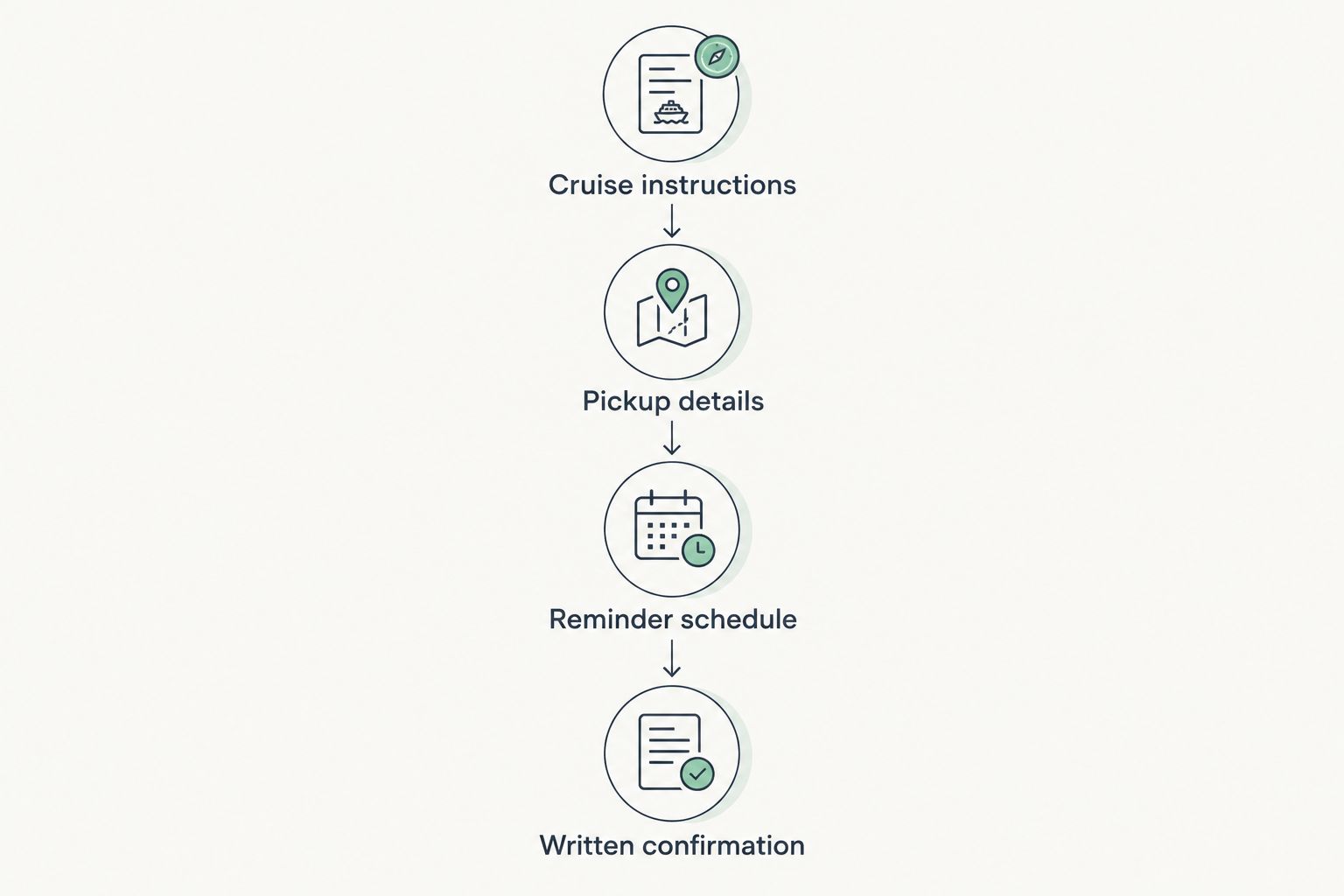
A practical description keeps the information in this order:
- Cruise instructions: sailing date, ship, terminal, and required arrival details.
- Pickup details: address, proposed pickup time, traveler contact, and meeting point.
- Travel party: passengers, luggage, and assistance requirements.
- Booking status: requested, accepted, or awaiting a revised confirmation.
This order keeps the deadline visible while separating your proposal from the provider’s acceptance. It also makes changes easier to identify without rereading a long email thread.
Configure reminders and confirmation
Reminder schedule
- In the event editor, click Add notification and choose a reminder method you actively monitor.
- As a starting template, set a reminder 48 hours before pickup to review the cruise instructions and transportation confirmation. This is a suggested planning interval, not a cruise-line deadline.
- Add another reminder 24 hours before pickup to check the traveler contact, luggage details, meeting point, and any unresolved changes.
- Add a final reminder 2 hours before pickup for your personal readiness check. Adjust these intervals to your itinerary; an overnight journey or early departure needs a different routine.
- Click Save, then reopen the event and verify the reminder settings. Check your device’s calendar and notification permissions as well.
Expected result: Your calendar prompts you to review the plan without requiring a daily manual check. The reminders do not claim that anyone is monitoring the ship or dispatching a vehicle.
For a 2026 departure, give each reminder a clear purpose in the event description. Review cruise instructions, reconfirm unresolved changes, and prepare for pickup are different actions; treating every alert as a generic reminder makes it easier to overlook unfinished work.
Written confirmation
- Send the transportation request through the provider’s booking or communication process. Copy the relevant event details rather than assuming the provider can access your calendar.
- Ask Black Limo Boston to confirm the proposed arrangement, including the agreed pickup time and meeting instructions. Describe passenger and luggage needs without assuming a particular vehicle has the necessary capacity.
- Compare the reply against the event: date, time zone, pickup address, destination instructions, traveler contact, and passenger details.
- Once the provider accepts the arrangement, replace confirmation pending in the title with confirmed. Add the accepted details and any supplied reservation reference to the description.
- Retain the original confirmation email. If the event and email disagree, resolve the discrepancy with the provider rather than choosing whichever version seems more convenient.
Expected result: Your calendar matches an accepted transportation arrangement, and the confirmation remains accessible outside the calendar.
A reminder firing is not evidence that a chauffeur is booked. Keep that distinction visible until written acceptance arrives, and restore the pending status whenever you request a material change.
Arrange your chauffeur transportation
Share your cruise date, pickup address, passenger details, and luggage requirements.
Update the plan when cruise instructions change
The adjacent workflow is a change-review process: receive revised cruise instructions, check their effect on the transfer, request any necessary adjustment, and update the calendar after acceptance. Do not treat an edited event as an automatic amendment to your booking.
- Read the new cruise communication and identify exactly what changed: date, terminal, arrival instructions, or another detail affecting ground transportation.
- Compare it with the accepted pickup arrangement. A revised sailing time alone does not establish a revised terminal arrival requirement.
- Send the relevant change to the transportation provider and ask whether the pickup arrangement needs adjustment.
- Mark the event change requested while awaiting acceptance. Keep the existing confirmed details clearly distinguishable from the requested replacement.
- After receiving written acceptance, update the event, remove obsolete instructions, and check the reminders again.
Expected result: The calendar reflects the latest accepted arrangement, not simply the latest proposed time.
For your 2026 trip, nominate one traveler to own changes. Other passengers can share revised documents, but one person should maintain the accepted pickup record and communicate amendments.
Add a separate return-port workflow
An outbound transfer and a return pickup have different planning anchors. Outbound planning follows required terminal arrival instructions; return planning must account for when your party can actually leave the ship and reach the agreed meeting point.
| Workflow | Best for | Main advantage | Limitation |
|---|---|---|---|
| Outbound departure event | Travelers heading to embarkation | Keeps the required arrival instructions connected to the pickup | Sailing time alone is insufficient for planning |
| Separate return event | Travelers arranging transportation after disembarkation | Keeps return meeting instructions and confirmation distinct | Ship arrival time does not establish passenger readiness |
Create the return event using the same confirmation process, but label it return and use the disembarkation information supplied for your sailing. Do not copy the outbound terminal instructions and assume they apply unchanged.
Black Limo Boston offers luxury sedans, SUVs, Sprinter vans, and limousines. Ask for a vehicle suited to your actual party and luggage, rather than choosing by vehicle category alone; the category name does not confirm suitability for your specific load.
Keep return transportation separate even when both journeys are requested together. A change to embarkation should not accidentally overwrite the return date or meeting instructions.
Troubleshooting
The event shows a different pickup time on another device
Check the event’s time zone and the viewing device’s display settings. Confirm the agreed pickup in Boston local time, then verify that both devices represent the same moment rather than editing the reservation to match a display difference.
The calendar says confirmed, but no acceptance arrived
Restore the pending label and contact the transportation provider. Saving an event or sending a request does not replace written booking acceptance.
A cruise email changes the sailing time
Check whether the cruise line also changed its arrival instructions. Send the relevant information to the provider before changing the accepted pickup; an itinerary update and a transportation amendment are separate actions.
A reminder never appears
Check the event’s notification settings, the account signed into the device, and the device’s notification permissions. A calendar alert cannot serve as your only record of an unresolved booking request, so retain the confirmation email and review pending items directly.
Travelers have conflicting copies of the itinerary
Choose one owner for the transportation event and remove obsolete duplicate events from your own calendar. Keep the accepted details in one place, while preserving the provider’s confirmation as the booking record.
Customize your workflow
For a 2026 itinerary that includes a hotel stay or airport connection, create separate events for each ground-transfer leg. Keep one journey’s confirmation from being mistaken for acceptance of another.
The benefit is a readable itinerary with explicit handoffs. The limitation is equally clear: this calendar workflow does not monitor flights, track ship movements, reserve vehicles, or negotiate pickup changes.
Use the calendar-invite-to-car-service booking guide to organize additional travel events. Keep the same rule throughout: calendar changes remain planning changes until the transportation provider accepts them.
FAQ
Can I automatically book a chauffeur from my cruise calendar?
This workflow does not automatically book a chauffeur. It schedules reminders and organizes pickup details; the transportation provider must separately accept the reservation.
How do I plan cruise port boston car service around my departure?
Work backward from the cruise line’s required terminal arrival instructions, then agree on a pickup time with the transportation provider. Do not use the ship’s sailing time as your terminal arrival deadline.
Will Black Limo Boston change my pickup when I edit my calendar?
Editing your calendar does not establish an accepted pickup change. Send the requested amendment to Black Limo Boston and obtain written acceptance before treating the new arrangement as confirmed.
How early should I set my cruise transfer reminders?
Use reminders that give you time to review documents, resolve changes, and prepare for pickup. The suggested template uses 48 hours, 24 hours, and 2 hours before pickup; these are planning choices, not official cruise requirements.
Should my return cruise pickup use the ship’s arrival time?
Ship arrival time alone does not establish when your party will be ready for pickup. Use the cruise line’s disembarkation information and agree on return meeting instructions with the transportation provider.
What information should I send when requesting cruise transportation?
Send the cruise date, ship name, terminal instructions, pickup address, traveler contact, passenger count, and luggage details. Include assistance requirements and ask the provider to confirm the pickup arrangement.
What should I double-check on a 2026 cruise transfer event?
Check the year, transfer date, Boston time zone, pickup address, cruise arrival instructions, and booking status. Compare the event with the provider’s written acceptance before labeling the ride confirmed.
One last thing
Name the event for the next action, not just the destination. Cruise transfer — change requested tells you what remains unresolved; Boston cruise does not.
That small distinction keeps an organized itinerary from creating false confidence. Automation is useful when it surfaces unfinished work, not when it makes an unaccepted request look complete.