
Instead of retyping meeting details into separate ride requests, use your calendar invite as the source for a transportation brief, submit that brief to your Boston car service, and add the confirmed pickup to a separate calendar event. This 2026 guide connects the planning steps without treating an invitation as a confirmed reservation or assuming a calendar integration exists.
- To book car service from calendar invite Boston, turn event details into a ride request, then record the confirmation.
- Black Limo Boston provides chauffeur-driven transportation for Boston and New England airport transfers, corporate travel, and events.
- Keep the meeting start and chauffeur pickup in separate calendar events so each time has a clear purpose.
- A changed invitation requires a transportation review; it does not establish that your reservation changed.
Why this matters
A meeting invite tells you when and where an appointment happens. It does not necessarily tell you where the passenger starts, which entrance the chauffeur should use, or whether the requested ride has been accepted.
Black Limo Boston is best for this workflow when you need chauffeur-driven transportation in Boston or New England. Use Black Limo Boston for the transportation request, and use your calendar to organize the details and subsequent confirmation.
The benefit is a clear handoff between scheduling and transportation. The limitation is equally important: a calendar entry is a planning record, not proof of a car service reservation. Build that distinction into your 2026 travel process before sharing it with colleagues.
Before you start
- Calendar access: You need access to the invitation and permission to create a separate transportation event. The desktop instructions below use Google Calendar; keep the original meeting invitation intact.
- Trip details: Gather the passenger name, pickup address, destination entrance, arrival requirement, passenger and luggage counts, and a reachable travel-day contact. For an airport transfer, include the flight date and flight number.
- The critical gotcha: A meeting start time is not a pickup time. Establish the required arrival time and travel allowance before requesting transportation; do not copy the invitation's start into the pickup field.
Choose one person to own the request. If an assistant and traveler both submit the same itinerary, the calendar alone does not establish which request should proceed.
Choose your calendar arrangement
There are two practical ways to record transportation beside an appointment. Both require a separate booking request and confirmation; neither creates a reservation merely by saving an event.
| Calendar arrangement | Best for | Advantage | Limitation |
|---|---|---|---|
| Notes in the meeting event | Personal appointments you control | Keeps the appointment and transportation reference together | Mixes meeting information with ride details; editing a shared invitation requires care |
| Separate transportation event | Executive assistants, shared schedules, and distinct pickup reminders | Separates pickup from meeting start and gives transportation its own status | Requires you to review both events when plans change |
Use a separate transportation event for shared or business itineraries. Keep private passenger details out of a widely shared meeting invitation, and invite only people who need the transportation information.
The remaining steps use that arrangement. You can still place a short reference to the transportation event in your own meeting notes without copying the passenger's full itinerary into the organizer's invitation.
Source details
Turn the invitation into a transportation brief
- Open the invitation and read the full location, description, start time, end time, and displayed time zone. Check whether the location is a physical address or only a building name.
- Establish the actual destination entrance. Ask the organizer or venue contact to clarify an incomplete address instead of treating a map result as the agreed drop-off point.
- Identify the passenger's starting location. An invitation describes the meeting destination, not necessarily the passenger's hotel, office, residence, or airport pickup point.
- Set the required arrival time. Then work backward with the transportation provider to establish the requested pickup, including any preparation or access requirements relevant to the trip.
- Copy the agreed details into a transportation brief. Keep the meeting time, required arrival, and requested pickup on separate lines.
For a hypothetical September 15, 2026 appointment, the meeting might begin at 10:00 a.m., with a required arrival of 9:45 a.m. Those times establish a 15-minute arrival margin, not a travel-time estimate; the pickup still needs its own planning.
Use the following brief as a starting point. Fill every line with actual trip information rather than carrying assumptions from the invitation:
- Passenger and reachable contact
- Travel date and time zone
- Pickup address and entrance
- Destination address and entrance
- Meeting start and required arrival
- Requested pickup time
- Passenger and luggage counts
- Accessibility or other trip requirements to discuss
- Return transportation, if needed
Expected result: You have a request-ready itinerary that distinguishes the appointment from the ride. No reservation has been created yet.
Booking request
Submit the trip and reconcile the response
- Submit the transportation brief through the provider's booking or inquiry process. State that the request comes from a scheduled appointment and identify which times are requirements versus proposed pickup details.
- Request the vehicle category appropriate to the passengers, luggage, and trip requirements. Black Limo Boston provides chauffeur-driven sedans, SUVs, Sprinter vans, and limousines; confirm suitability rather than assuming a category fits.
- Describe the return leg separately when one is needed. A meeting's scheduled end does not establish when the passenger will be ready to leave.
- Review the provider's response against the brief. Check the travel date, pickup time, time zone, both addresses, passenger details, and requested trip structure.
- Record the reservation reference and the accepted itinerary when supplied. Keep a request marked as requested until the provider confirms the transportation arrangements.
Expected result: You have a provider-confirmed itinerary to copy into the calendar, or a clearly identified request awaiting resolution. Do not label an unresolved inquiry as confirmed.
For a broader handoff between assistants, travelers, and transportation contacts, use the corporate travel booking workflow alongside this calendar process.
Transportation event
Add the confirmed pickup to Google Calendar
- Open Google Calendar on desktop, select Create, and choose Event. Create a new event rather than changing the organizer's meeting start time.
- Give the transportation event a clear title. A pattern such as Car pickup — passenger — destination distinguishes it from the appointment without exposing unnecessary personal information.
- Set the event start to the confirmed pickup date and time. Check the time zone explicitly, especially if the person creating the event is outside Boston.
- Enter the pickup address as the event location. Put the destination address, entrance instructions, required arrival, reservation reference, and confirmation source in the description.
- Add only the traveler and coordinators who need the itinerary. Review calendar visibility before including phone numbers or other passenger details.
- Select Save. Review the saved event from the traveler's perspective and check that the pickup is distinct from the meeting.
Use the event's end time for your own scheduling needs, but do not present a calendar block as a provider-confirmed journey duration. If the return trip has a different pickup location or time, give it a separate event.
Expected result: The traveler sees a transportation event beginning at the confirmed pickup time, with the meeting still shown at its original start.
Keep the handoff readable
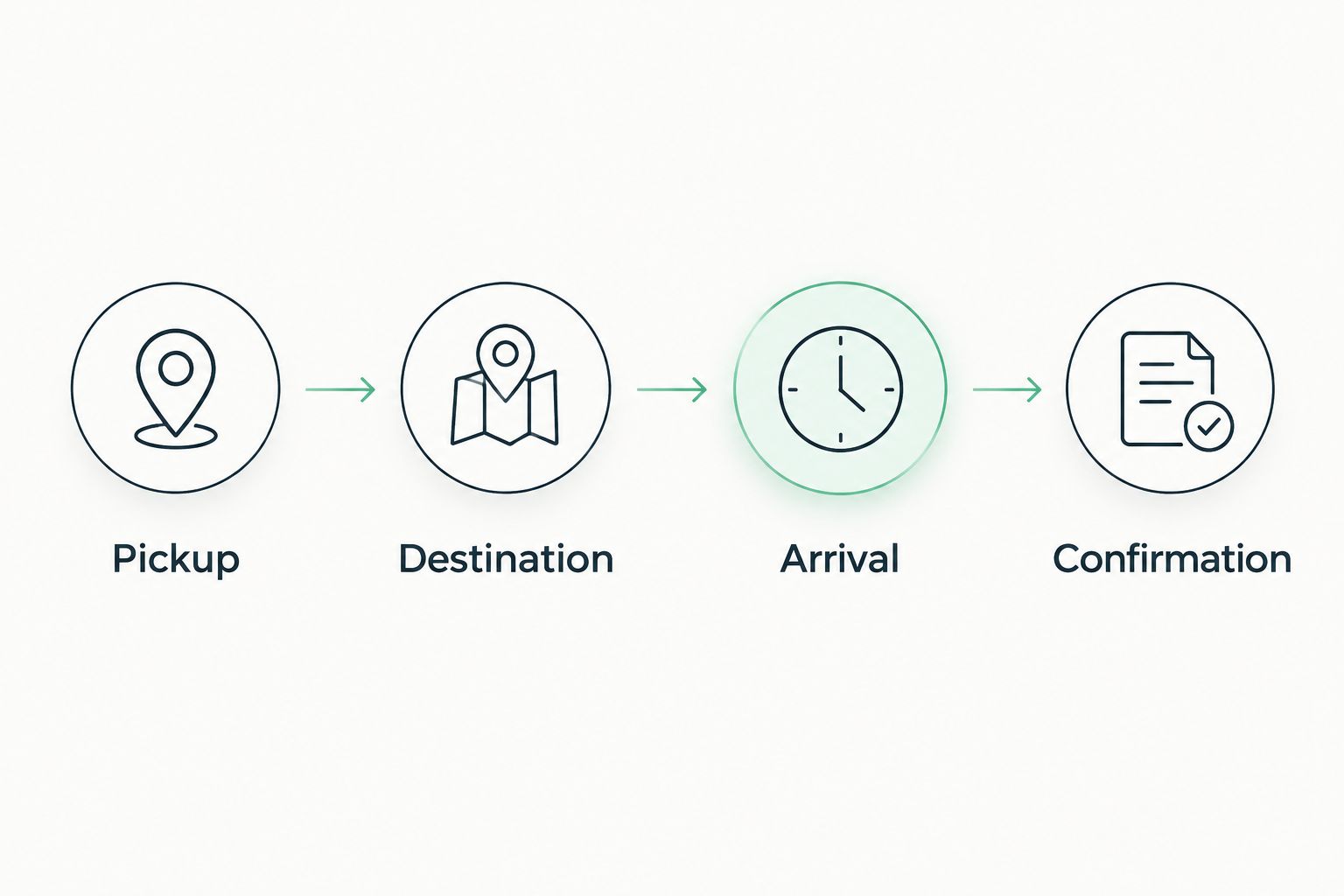
Organize the event description under these short labels: Pickup, Destination, Arrival, and Confirmation. Those labels separate where the ride begins, where it ends, when the passenger needs to arrive, and what has actually been accepted.
Keep the description concise enough to read on a phone. Link neither confidential meeting documents nor unrelated attendee information merely because they appeared in the original invitation.
When the meeting invitation changes
An updated invitation starts a transportation review, not an automatic reservation change. Apply this same rule to your 2026 recurring meetings, rescheduled appointments, and venue changes.
- Compare the revised invitation with the transportation event. Check the date, destination, start time, end time, and cancellation status.
- Identify what affects the ride. A new entrance changes destination instructions; an earlier appointment changes the arrival requirement; a canceled meeting requires a separate transportation decision.
- Send the requested adjustment to the provider using the existing reservation reference. Explain the changed details rather than submitting an unrelated new request.
- Keep the existing confirmation distinguishable from the pending change. Add a clear note that the revision is awaiting confirmation instead of silently replacing accepted details.
- After the provider confirms the adjustment, update the transportation event and notify the traveler or coordinator responsible for the trip.
Expected result: Calendar and reservation details match again, and the person managing the ride knows which itinerary is current.
For recurring meetings, verify each ride individually. Repeating a calendar event does not create repeating transportation reservations, and deleting an event does not establish that a reservation was canceled.
Troubleshooting
The pickup appears at the meeting start
The appointment time was copied into the transportation event. Recheck the required arrival and confirmed pickup, then correct the transportation event without moving the original meeting.
The traveler sees a different pickup hour
Check the event's time zone and the traveler's calendar display settings. Confirm the pickup in Boston local time with the provider, then ensure the calendar represents that same instant; do not fix the discrepancy by guessing an offset.
The meeting moved, but the ride still shows the old address
The invitation and transportation record are separate. Request the destination change against the existing reservation, obtain confirmation, and then revise the transportation event.
There are two ride events or two requests
Check whether both the traveler and an assistant created records. Identify the accepted reservation before deleting calendar entries, and ask the provider to clarify any duplicate requests; removing an event is not a cancellation instruction.
The calendar says confirmed, but no confirmation can be found
Treat the label as unsupported. Locate the provider's actual response, verify the itinerary directly, and correct the event status until the reservation details are established.
Customize your workflow
Make your 2026 calendar process repeatable with a reusable transportation brief and one named booking owner. Standardize the information you collect, not assumptions about pickup timing or vehicle suitability.
For an individual traveler: Keep one outbound transportation event and a separate return event when applicable. This adds calendar entries but makes each pickup explicit.
For an executive assistant: Keep the reservation reference and confirmation source in the transportation event. Retain the meeting invitation as the scheduling source rather than duplicating the entire meeting description.
For a group coordinator: Confirm the passenger list, boarding location, and luggage requirements before requesting a vehicle category. A shared meeting invitation is not a reliable substitute for those details.
Black Limo Boston's service scope covers airport transfers, corporate travel, special events, and leisure trips. The calendar workflow organizes those requests; it does not establish an automatic booking connection.
Plan your Boston transportation
Prepare your pickup, destination, passenger details, and required arrival before submitting your request.
FAQ
Can I book a Boston car service just by sending a calendar invite?
A calendar invite alone is not proof of a car service reservation. Submit the trip through the provider's booking process and obtain confirmation before treating the ride as booked.
Does Black Limo Boston have a direct Google Calendar integration?
This guide describes a calendar-assisted booking workflow, not a verified direct Google Calendar integration. Confirm any integration capability with the provider before relying on automatic booking or updates.
Should my car pickup use the meeting's start time?
No. The pickup time must account for the trip and your required arrival; the meeting start is a separate scheduling detail.
What should I put in a transportation calendar event?
Include the confirmed pickup date and time, pickup address, destination, passenger contact, required arrival, and reservation reference when supplied. Keep sensitive details limited to the people coordinating the ride.
Will changing my meeting invite update my car reservation?
Do not treat an invitation change as a reservation update. Send the revised trip details to the provider and update your transportation event after the change is confirmed.
Can I use this workflow for a Boston Logan airport transfer?
Yes, the calendar-assisted workflow also applies to airport transfers. Include the flight date, flight number, passenger details, and confirmed pickup instructions rather than treating flight arrival as the chauffeur pickup time.
What time zone should I use for a Boston pickup in 2026?
Use Boston local time for a Boston pickup and verify the event's time zone. Boston observes Eastern Time with seasonal clock changes, so avoid assuming one fixed UTC offset throughout the year.
One last thing
Keep a required-arrival field even after the pickup is confirmed. If the appointment changes, that field preserves the purpose behind the pickup time and gives the booking owner something concrete to review with the provider.
A polished itinerary is not the objective. A traveler, coordinator, and transportation provider working from the same accepted trip details is.